
Core Web Vitals for Canadian Websites: A Practical 2026 Guide

David Nguyen
David Nguyen
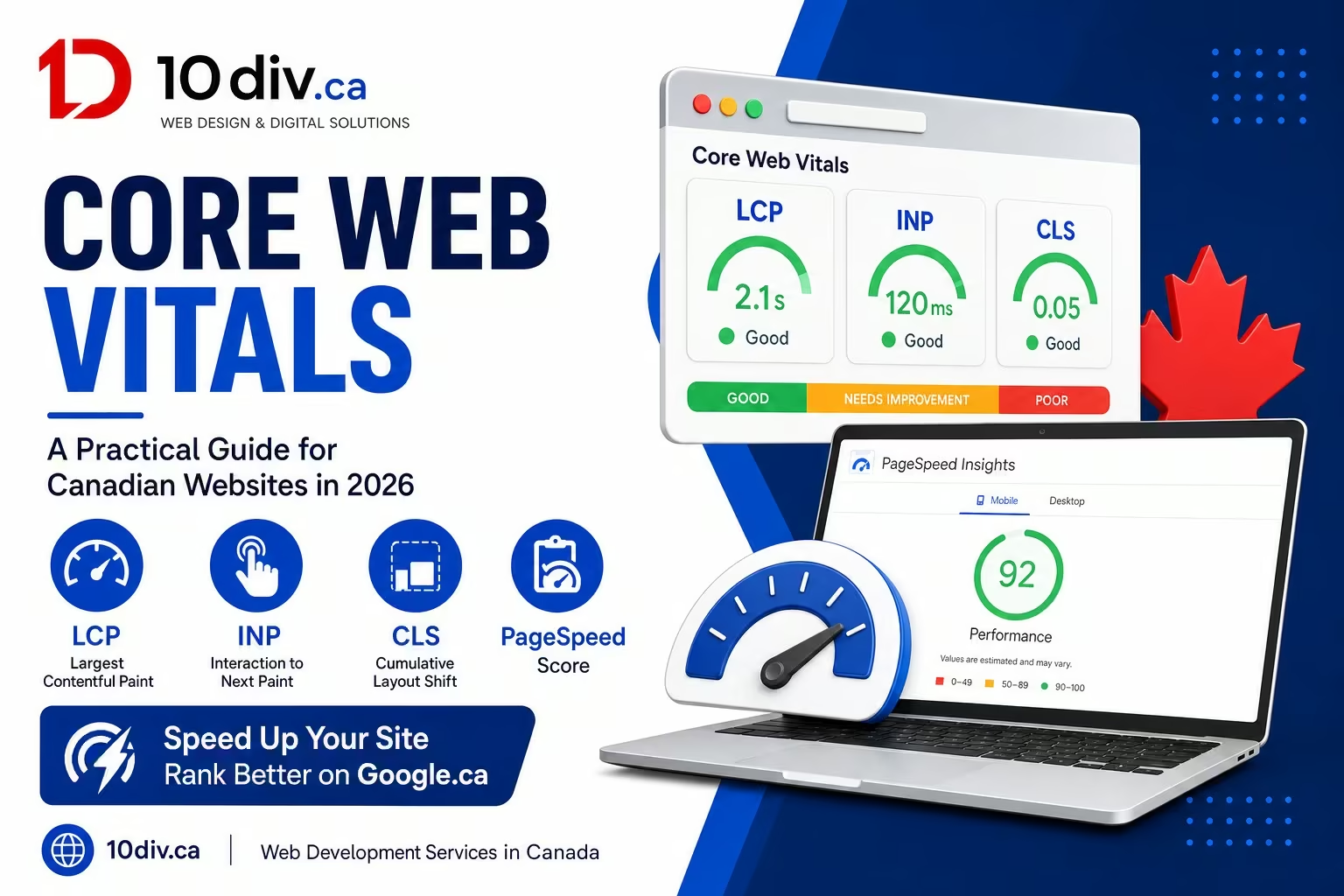
Core Web Vitals sound like another Google acronym until your rankings slip or your ad quality score suffers and nobody can explain why. For Canadian businesses — especially e-commerce and lead-gen sites on shared hosting or heavy WordPress themes — these three metrics often point to real user pain: slow hero images on mobile, laggy menus, or layout jumps when a promo banner loads. This guide explains LCP, INP, and CLS in plain language, how to check them with free tools, and what fixes actually matter for visitors from Vancouver to Halifax, not just for Lighthouse scores.
Google groups user experience into three field metrics. Largest Contentful Paint (LCP) tracks how fast the main content appears — usually a hero image, heading block, or product gallery. Interaction to Next Paint (INP) reflects responsiveness when someone taps a button, opens a menu, or types in a form. Cumulative Layout Shift (CLS) measures visual stability — content jumping around while the page loads.
These are not vanity stats. Slow mobile experiences hurt conversion on Canadian retail sites during short shopping windows, and they hurt local service sites when someone on a weak rural connection tries to call from your sticky header.
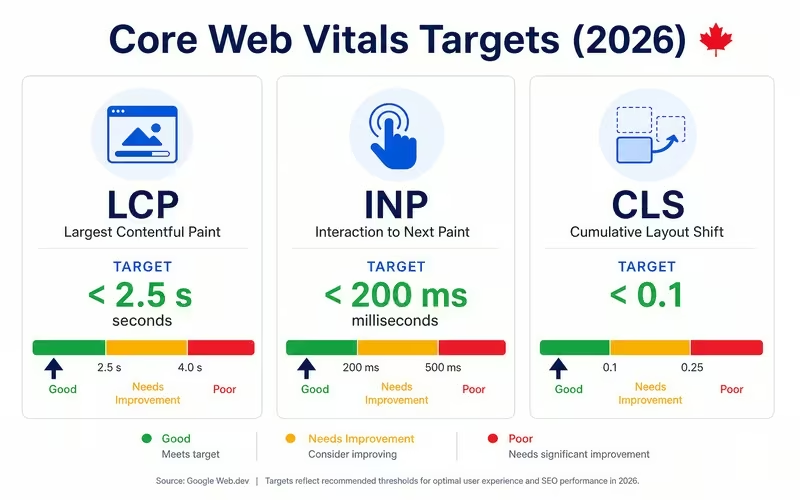
| Metric | Good threshold | Common Canadian site issues |
|---|---|---|
| LCP | ≤ 2.5 seconds | Unoptimized hero images, slow TTFB on cheap hosting, render-blocking scripts |
| INP | ≤ 200 milliseconds | Heavy JavaScript, chat widgets, tag managers firing too early |
| CLS | ≤ 0.1 | Late-loading fonts, ads or cookie banners pushing content down |
Start with Google Search Console Core Web Vitals report if the site is verified — it shows URL groups with real-world Chrome data. Complement with PageSpeed Insights for lab diagnostics and with GA4 engagement metrics segmented by mobile vs desktop. Test on real Canadian mobile networks, not only office Wi-Fi in Toronto.
If you use WordPress, WooCommerce, or page builders, run before-and-after tests on product and checkout templates, not just the homepage. Category pages often carry the worst LCP because of image grids.
For bilingual sites, ensure both language versions get the same image optimization — it is easy to optimize English templates and forget French duplicates.
Marketing teams rely on analytics, ads, and chat. Developers hate third-party bloat. The compromise: load tags after consent where required, stagger non-essential scripts, and audit plugins quarterly. Replace ‘install another plugin’ with a defined need. On INP, break up long JavaScript tasks and test mobile menus on mid-range Android devices.
For CLS, reserve space for images and embeds with width/height attributes, and style cookie/consent banners so they overlay instead of shoving the header down on first paint — a common issue on Canadian sites using EU-style banners adapted for PIPEDA messaging.
If field data shows failing URLs at scale — whole template groups, not one blog post — you need theme-level or platform-level work. Point fixes on a single landing page will not save a slow WooCommerce checkout. Prioritize templates that drive revenue: booking flows, quote forms, top product categories.
Document a performance budget before the next redesign. It is cheaper to enforce image sizes and script limits up front than to rescue a launched marketing site that fails INP on every page.
Start with templates that combine traffic and revenue: homepage, top three service pages, checkout, and booking. Fixing one blog post while checkout INP fails will not move the business needle. Export a URL list sorted by sessions from GA4 and cross-reference Search Console vitals groups.
Canadian ecommerce sites often load US-centric tag containers that add latency — audit third parties with a one-week delay test: remove non-essential tags in staging and measure INP delta. Marketing can re-add tools intentionally with async loading rather than accepting default plugin installs.
Share vitals goals with designers early. A hero video that looks stunning on desktop in Toronto may destroy LCP on 4G in rural Alberta. Offer static image fallbacks and compress aggressively; your brand can stay premium without eight-megabyte headers.
Canadian buyers compare you to competitors on mobile during evenings and weekends — performance, clarity, and trust signals on your site directly affect whether they call Monday morning. Treat web and marketing investments as revenue infrastructure, not one-off expenses. Measure leads, set realistic timelines, and iterate with your agency partner quarterly so scope stays aligned with business results across provinces and languages.
They are a ranking signal among many. Poor vitals often correlate with poor UX, which hurts conversions regardless of SEO.
Yes — INP is the interaction metric Google emphasizes going forward. Tools may still show legacy FID in older reports.
It helps LCP and TTFB but will not fix massive images, render-blocking JS, or layout shift from ads.
Mobile first — most Canadian retail and local service traffic is mobile, and Google indexes mobile versions.
Our developers audit templates, hosting, and scripts — then prioritize fixes that move real metrics.




10Div Team
Google Business Profile optimization is still one of the highest-leverage local…
10Div Team
Creating a website is still one of the highest-return projects a…

10Div Team
Shopify vs WordPress is one of the most common platform questions…